
Is Canva Worth It for Solopreneurs and Small Businesses? An Honest Deep Dive
An honest deep dive into Canva for solopreneurs and small businesses. This review covers what Canva is actually good for, where it has limits, and whether Canva Pro is worth it if you’re running a business.
AI FOR DESIGN
2/5/20263 min read
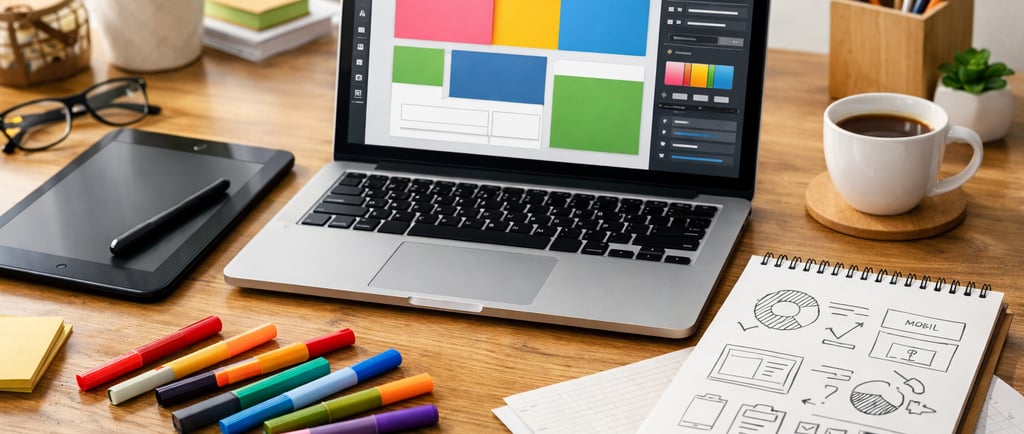
Canva is one of those tools almost every solopreneur tries at some point.
It usually starts with,
“I just need a quick graphic,”
and somehow turns into,
“Why am I designing my entire business inside this thing?”
Canva promises simple design for non-designers. But for solopreneurs and small business owners, the real question isn’t whether Canva can make things look nice.
It’s this:
Is Canva actually worth using for your business, or does it just turn you into your own unpaid designer?
I looked at Canva from a practical business perspective — not as a designer, but as a solopreneur trying to run a business efficiently.
Here’s the honest take.
What Is Canva and How Do Solopreneurs Use It?
At its core, Canva is a drag-and-drop design tool for:
social media graphics
presentations
PDFs and lead magnets
marketing materials
simple videos
basic branding assets
But it has evolved beyond just graphics.
Canva now includes:
large template libraries
brand kits
AI-powered features
document creation
simple website pages
content scheduling
It’s less “design software” and more a visual workspace for business owners.
That distinction matters for solopreneurs.
First Impressions: Easy to Start, Easy to Overuse
One of Canva’s biggest strengths is how easy it is to start. You don’t need design training or technical skills to make something decent.
Pick a template, change the text and colors, and you’re already most of the way there.
The trade-off is that it’s easy to spend more time than you intended. When everything is customizable, you can end up tweaking fonts instead of finishing your work.
For solopreneurs, the real risk isn’t complexity — it’s distraction.
Still, Canva is one of the most approachable tools for non-designers. You can log in and create something usable within minutes.
What Canva Is Good for in a Small Business
Fast marketing visuals
If you regularly need:
Instagram posts
thumbnails
simple ads
client PDFs
worksheets
slide decks
Canva helps you produce them quickly.
Most solopreneurs don’t need award-winning design. They need clear, clean visuals that get published. Canva supports that goal well.
Templates that reduce decision fatigue
Templates are where Canva shines.
Instead of starting from scratch, you begin with structure. That reduces decision fatigue — something most solopreneurs already deal with daily.
Good templates act like guardrails. They help your designs look decent even if design isn’t your strength.
Brand consistency without hiring a designer
Canva’s brand kit feature is especially useful for small businesses.
You can store:
brand colors
fonts
logos
This makes it easier to stay visually consistent without rethinking your design choices every time.
Consistency builds trust, and trust helps businesses grow.
Simple collaboration
If you work with clients or virtual assistants, Canva makes sharing easy. Sending a link is simpler than emailing files back and forth.
For small teams, this removes unnecessary friction.
Where Canva Has Limitations
Canva is designed for speed, not advanced design work.
You may hit limits if you need:
highly complex layouts
advanced photo editing
precise typography control
detailed print-ready design
For most solopreneurs, those needs are rare.
A more realistic limitation is that popular templates can lead to similar-looking designs. That doesn’t make them bad — just less unique.
Canva AI Tools: Useful but Not the Main Feature
Canva includes AI features for:
generating images
writing text
background removal
resizing designs
These tools are helpful for speeding things up, especially background removal and resizing.
But Canva’s real value is still fast, accessible design. The AI features support that; they don’t define it.
If you’re exploring multiple AI tools for your business, Canva is often part of the mix. I mentioned it in my breakdown of free and practical AI tools for solopreneurs — especially for visual content creation.
(Internal link suggestion: link this phrase to your 5 AI tools article.)
Canva Free vs Canva Pro: Is Pro Worth It?
Canva’s free version is strong. Many solopreneurs can run their visuals on free alone, especially early on.
Canva Pro becomes worthwhile if you:
create content frequently
use brand kits
want premium templates and assets
rely on background remover
resize designs for multiple platforms
The upgrade is less about power and more about saving time.
Who Canva Is Best For
Canva works well for:
content creators
coaches and educators
service providers
course creators
small online businesses
solopreneurs handling their own marketing
It’s ideal if you want designs that look good and done, not perfect and custom.
Who Might Not Benefit from Canva
Canva may not suit:
professional designers
businesses needing fully custom branding
people who obsess over fine design details
anyone who prefers outsourcing design
If you strongly dislike visual work, even easy tools won’t change that.
Final Verdict: Is Canva Worth It for Solopreneurs?
Yes — with realistic expectations.
Canva won’t replace a professional designer for high-end branding.
It won’t make you a design expert overnight.
But it will help you:
create visuals quickly
stay consistent
publish content faster
avoid hiring a designer too early
For solopreneurs and small businesses, that’s often exactly what’s needed.
Bottom line:
Canva is worth it if you value speed, simplicity, and “good enough to publish” over perfect design.
And for most solopreneurs, that’s a smart trade.
Help
Questions? Reach out anytime.
Contact
Subscribe
hello@useaibetter.com
© 2025. All rights reserved.